

.png)


Available on



Open a case in JDS and jump instantly to corresponding iCrimeFighter evidence via a direct, secure case link.
Sync crucial incident summaries and CAD parameters directly to your digital case jackets for rapid, automated file structuring.
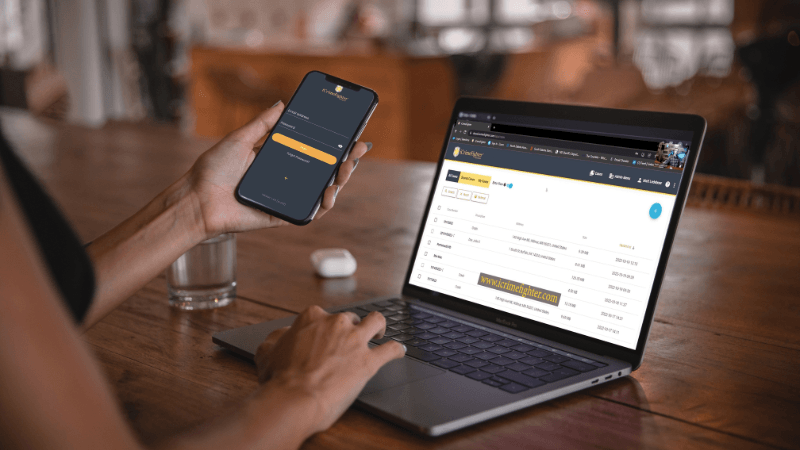
Assign case-related tasks and reminders within your automated case tracking to ensure critical investigative follow-ups do not get missed.

Footage transfers directly into iCrimeFighter after docking and tagging through native integration workflows.
Move body and in-car video directly into the active evidence workflow with less manual effort.
Leverage Desktop Sync to monitor local storage locations and automatically pull new video files into your iCrimeFighter case files.
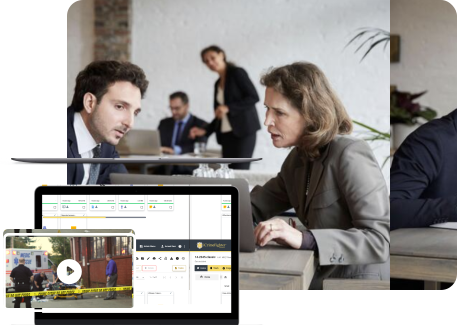
Move digital interview room recordings into iCrimeFighter while automatically preserving case details and ownership.
.jpg)
Ingest interview room recordings and forensic video assets side-by-side with other foundational case evidence.

Pull secure iCrimeFighter evidence directly into Guardian workflows for deeper forensic analysis.

Review phone extractions completely in the cloud using a familiar, intuitive viewer experience.
Examine full phone extraction data packages inside iCrimeFighter without having to download or re-upload massive raw file sets.
Accelerate your legal review by converting audio and video assets into AI-powered, time-coded, searchable transcripts synced directly to media playback.
Capture and sync mission-critical digital evidence natively from the field, complete with secure offline use capabilities.
Bulk-transfer large digital evidence files directly from local storage arrays or legacy standalone devices into iCrimeFighter.

Collect photos, videos, and files from citizens through a secure, auditable portal designed for public collaboration.
Send a secure upload link to businesses or witnesses via email to route external submissions instantly into the case.
View your complete iCrimeFighter-hosted digital evidence files directly inside PbK via a dedicated, centralized tab.
Access and review secure iCrimeFighter evidence within the Matrix platform through a direct, approved integration path.
Utilize direct case links to seamlessly access case media from your existing CMS workflow.
Work cases interactively across agencies without physical discs, servers, or external drives, ensuring agency visibility depends strictly on defined permissions.
Share digital evidence securely with defense attorneys or outside parties even if they do not have an account, backed by strict access tracking and revoke controls.
Centralize identity and access management for your agency users by supporting standard SSO protocols to govern access credentials.

Leverage secure government cloud infrastructure hosted in AWS GovCloud regions, utilizing end-to-end data encryption and automated audit logging to support strict federal security requirements.
Securely store, organize, and review phone extractions (phone dumps) side-by-side with other media within corresponding case folders, keeping comprehensive device evidence centralized.
Upload complex cell phone downloads, geo-location maps, and tower dumps into a clean interface.
Support secure storage and long-term preservation of critical files, protecting your investigation records against local hardware failures and physical media degradation.
.svg)
iCrimeFighter is designed to interface with your existing public safety infrastructure and can be configured to connect with various records management systems (RMS) and computer-aided dispatch (CAD) platforms depending on your agency's specific configurations and API access. Additionally, the platform supports approved workflows for body-worn video evidence, identity providers via Single Sign-On (SSO), and secure hosting environments utilizing AWS GovCloud .
Yes. iCrimeFighter can be configured to sit alongside major RMS and CAD solutions. This mapping allows metadata to pass securely between systems, minimizing manual data re-entry and organizing digital assets using existing case structures.
Yes. iCrimeFighter functions as an open, hardware-neutral hub. It provides direct native integration for Axon and Getac systems to pull footage after docking. For WatchGuard/Motorola setups, our Desktop Sync application monitors your local storage pools to automatically pull new video files into the workflow.
Yes. We support standard Single Sign-On (SSO) protocols, allowing our platform to map directly with enterprise identity directories like Okta and Azure Active Directory. This ensures your IT administrators can enforce multi-factor authentication (MFA) and access permissions from a single control point.
By connecting your software platforms, data silos are significantly reduced. Law enforcement teams can automatically assemble complete, organized case packages. This allows investigators to instantly project files to prosecutors via Collaborators, accelerating the discovery process with Share File workflows while logging a clear, unalterable record of the transfer.
Depending on which specific software providers your agency works with, the integration process may use native ingestion channels, file upload from a desktop application, or custom API mapping along with the guidelines of the software provider.